
Calculate CAN Frame Length and Bus Load with the Waveform Simulator
The on-wire length depends on protocol fields, payload, CRC and stuff bits. Even with the same eight-byte payload length, a different identifier or payload may change the number of stuff bits. The CAN/FD waveform simulator encodes an individual frame and calculates its duration at the configured bit rates.
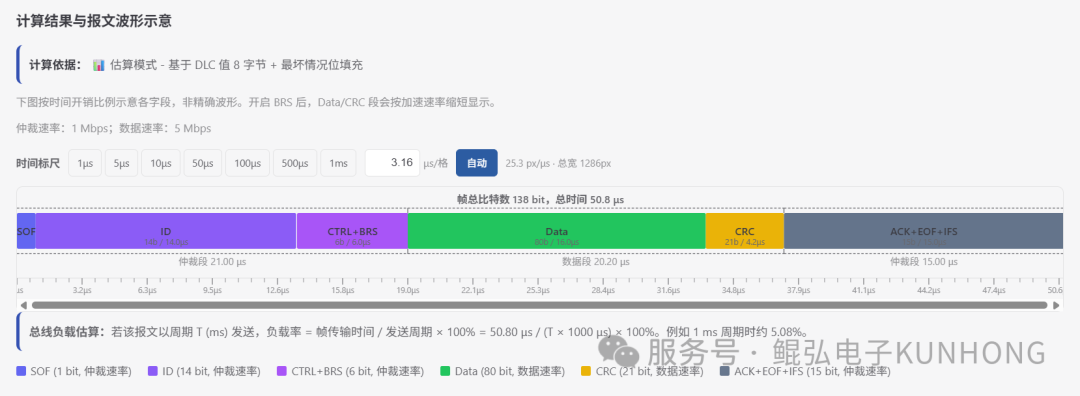
With BRS disabled, fields use the nominal rate throughout the frame. With BRS enabled, the data phase uses the configured data rate while arbitration and the frame tail still use the nominal rate. To compare the settings, keep the identifier and payload the same and check the time taken by each field.
Enter a frame and inspect the waveform
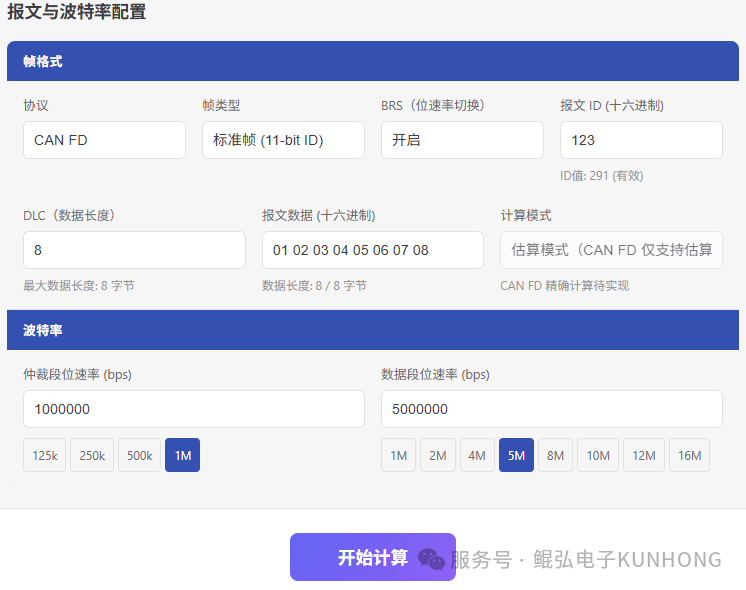
- Choose Classical CAN or ISO CAN FD and a standard or extended ID. Enter the hexadecimal identifier, DLC, acknowledgement state and payload. Classical CAN supports RTR, and CAN FD offers BRS and ESI settings.
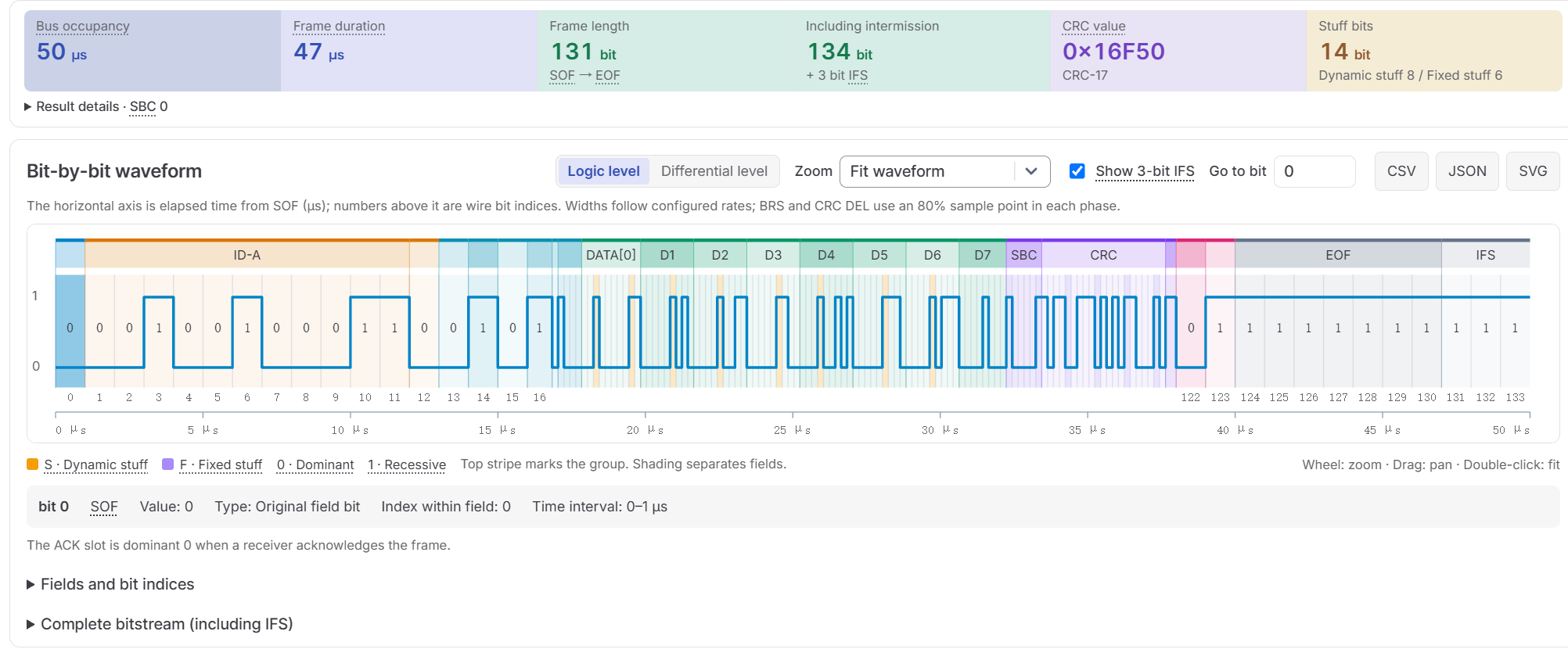
- Enter the nominal bit rate. For CAN FD with BRS enabled, set the data bit rate as well. The tool shows frame length, CRC, dynamic and fixed stuff bits, frame duration and bus occupancy time.
- Select logic levels or ideal CAN_H/CAN_L differential levels. Click a bit to inspect its field, value, stuffing type and timing. Copy the bitstream or export CSV, JSON or SVG. Use an oscilloscope to investigate actual reflections, ringing or abnormal voltage levels.
Convert frame time to periodic bus load
- Frame duration spans start of frame (SOF) through end of frame (EOF).
- Bus occupancy time adds three nominal-rate bit times for intermission. Use this value to estimate periodic traffic load.
For example, choose a standard ISO CAN FD frame with ID 123, DLC 8, payload 01 02 03 04 05 06 07 08, ACK and ESI = 0. Enable BRS and set 1 Mbit/s nominal and 5 Mbit/s data. The frame is 131 bits and 47 µs, or 134 bits and 50 µs including intermission. Sent once per millisecond, it accounts for 5% ideal bus load.
For multiple frame types, divide each frame's occupancy time by its period and add the results. Leave margin for arbitration delays, retries and other traffic. A control-cycle budget also needs to account for responses, queuing and node processing time.
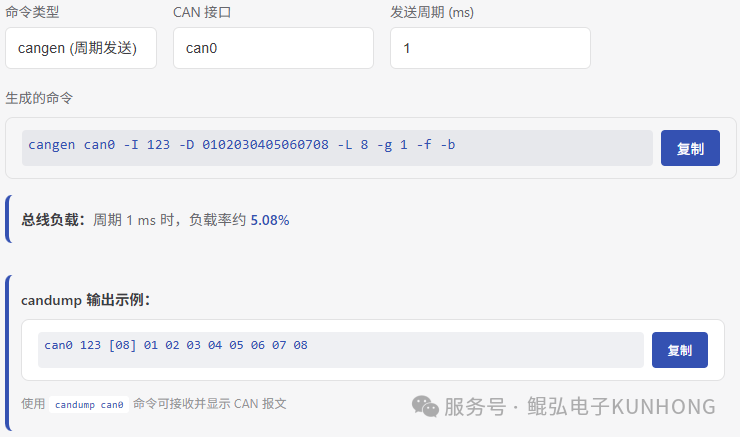
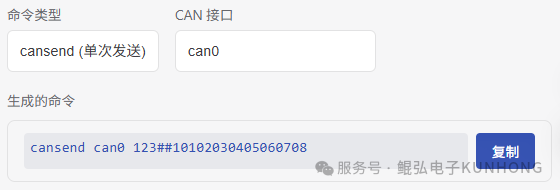
To generate Linux commands for a single frame or periodic traffic, use cansend or cangen in the SocketCAN command generator. Check the bus, frame ID and payload against the connected equipment and use a controlled link when sending test frames.
Generate a single-frame command using the same ID, payload and BRS as the simulator, then check the received frame with candump. For periodic traffic, set the same frame, the gap and a finite count in cangen. Choose canbusload bit rates and a calculation mode appropriate for the interface. can-utils guide
Screenshots from the original publication
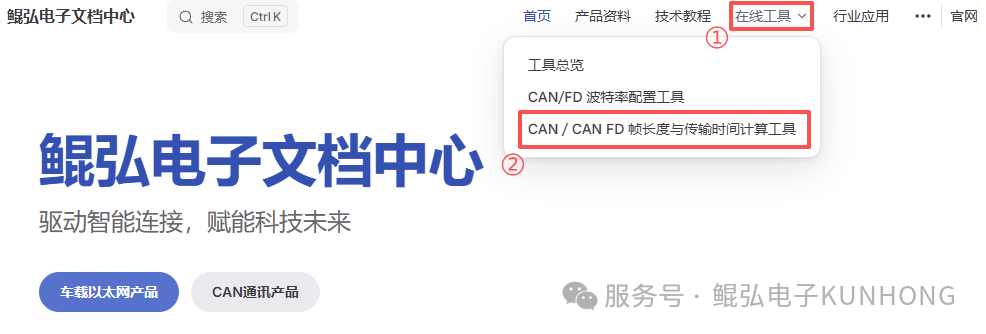
The figures show the early interface. Use the current simulator for frame length, timing and waveforms. Generate transmit and receive commands with the SocketCAN command generator.
Originally published by hoyo on 2026-03-10 as CAN/FD Frame Length Calculator.