
Diagnose CAN Communication with SocketCAN
Use interface state, counter changes and captured traffic to decide whether to check node settings, the receive path or wiring first. These examples use Linux SocketCAN. Run ip link show to find your interface and replace can0 below as needed.
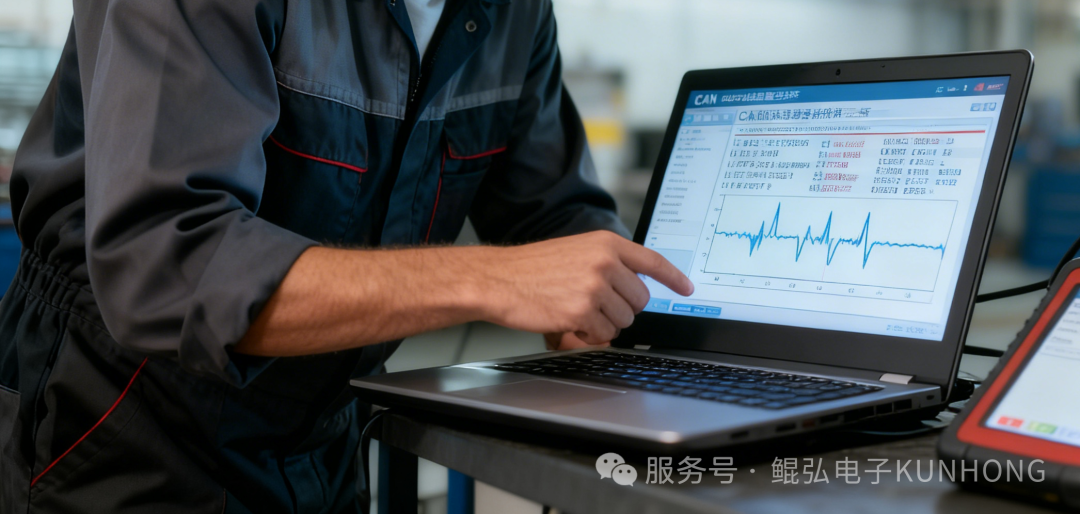
Check interface state and bit timing
ip -details -statistics link show can0- Check the
UPflag and then readcan state. An enabled interface can still be inERROR-PASSIVEorBUS-OFF. - Check
bitrate,sample-pointand FD mode against the other nodes on the same bus. For CAN FD, also checkdbitrateanddsample-point. - If the driver exposes
berr-counter, comparetx(TEC) andrx(REC) before and after the fault. Also check RX/TXerrors,droppedand CAN state-transition statistics. On older systems,ifconfig -acan show generic traffic statistics.
REC and TEC can fall after successful transfers. Interface statistics describe events reported by the driver and network device, with different meanings for each field. If dropped packets keep increasing, check receive buffers and how quickly the application reads traffic.
| Field | How to read it |
|---|---|
Interface flag UP / DOWN | The interface is enabled or disabled. Check the controller state to determine whether it can participate in communication. |
ERROR-ACTIVE / ERROR-PASSIVE / BUS-OFF | The protocol error state. An Error Active node can still experience intermittent errors. |
bitrate / dbitrate | Nominal and data-phase bit rates. Each phase also has its own sample point and timing settings. |
berr-counter tx … rx … | The controller's transmit and receive error counters. Read them alongside error messages and cumulative statistics because counter values can fall. |
The fields below show an FD configuration and controller state. The example uses 1 Mbit/s nominal and 2 Mbit/s data, both at a 75% sample point.
can <FD> state ERROR-ACTIVE (berr-counter tx 0 rx 0) restart-ms 0
      bitrate 1000000 sample-point 0.750
      dbitrate 2000000 dsample-point 0.750
Check transmit and receive statistics
An enabled interface can drop packets before the application reads them. Compare two readings from ip -statistics link show can0 to see which RX or TX counters changed. On older systems, the following also shows RX packets, TX packets, errors and dropped.
ifconfig -aerrors and dropped are cumulative interface statistics. Identify the direction and time window, then correlate them with traffic and the driver's statistics definitions.
Monitor state continuously with kcan_monitor
On hardware supported by the Kunhong Linux SDK, use kcan_monitor to see live channel status, nominal and data bit rates, frame rates and error counters. Match ndev to your SocketCAN interface. If the link drops intermittently, watch for changes in bus, rec/tec and the cumulative error count err. kcan_monitor guide
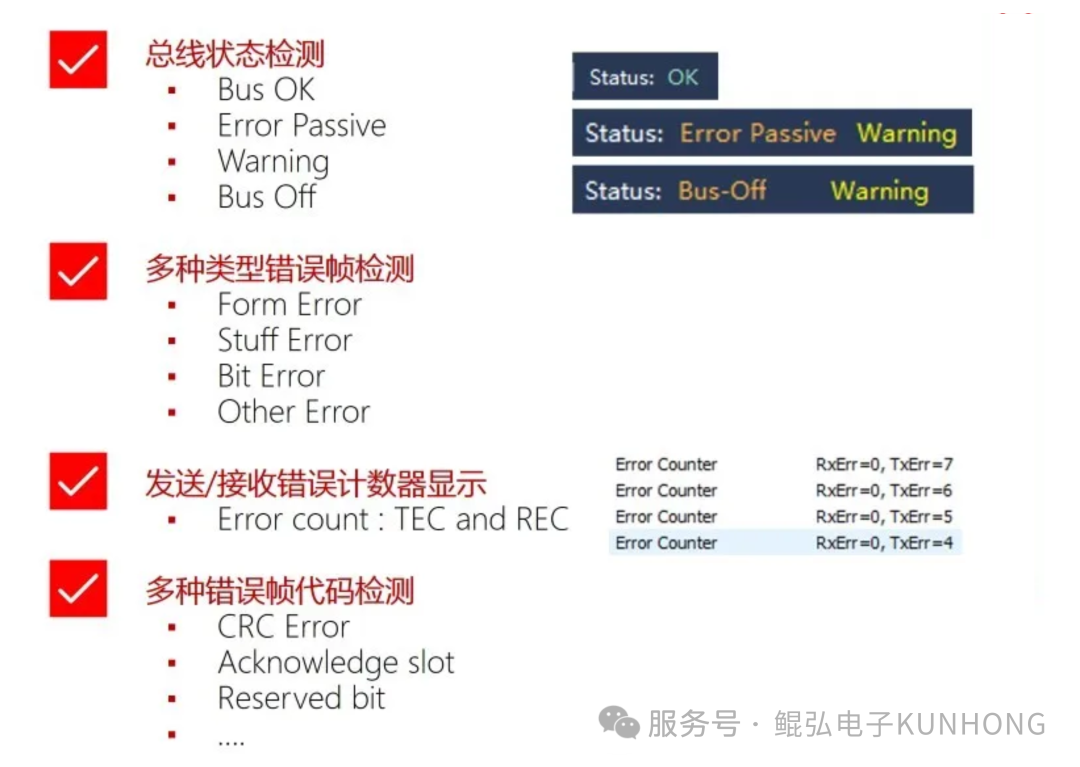

Capture traffic when the fault occurs
Install can-utils and run the following command to record normal traffic and error messages delivered by the driver.
candump -t a -e 'can0,0:0,#1FFFFFFF'Start recording before reproducing the fault. Confirm that the adapter and driver can report the errors you need. If berr-reporting is required and supported, enable it when configuring the interface.
Inspect error types in Wireshark
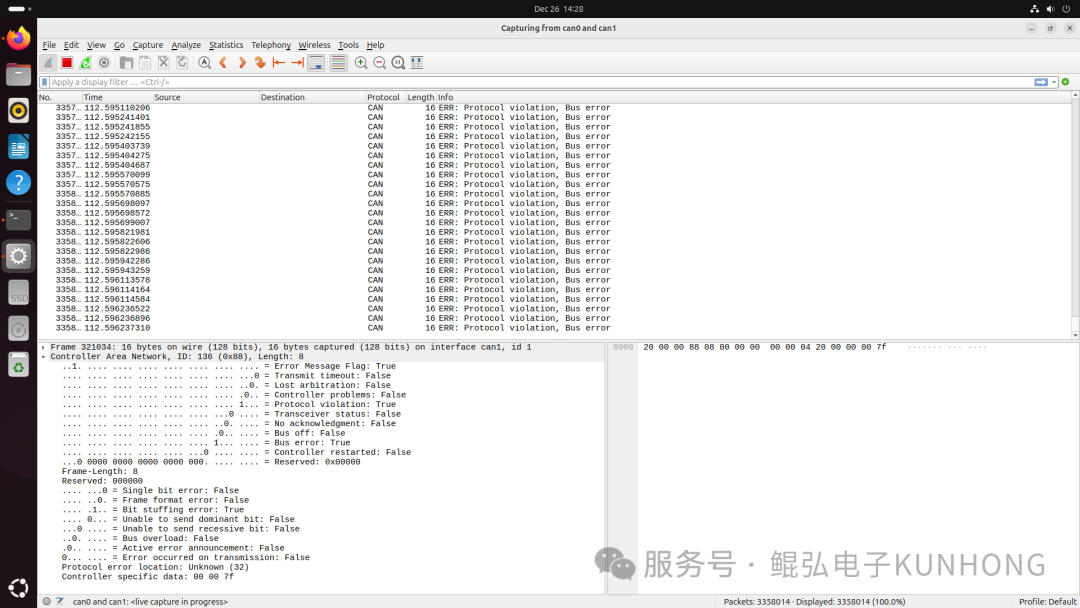
Capture on the appropriate SocketCAN interface and check the order of traffic around the fault. In packet details, expand a CAN error record and inspect the protocol error type, position or controller state reported by the driver. When capturing several interfaces, identify the channel that reported each record. Available error details depend on the adapter and driver.
| Observation | Check first |
|---|---|
| Repeated ACK errors while sending | Check that another active node can acknowledge, is outside listen-only mode and uses matching frame format and bit timing. |
| Frequent errors only with BRS enabled | Check the data bit rate, sample point, transceiver capability, termination and stubs. |
| Interface enters Bus-Off | Record state and errors, then check the transmitter settings, peer acknowledgements and physical link. Once the fault is resolved, follow the SocketCAN interface guide to recover the interface. |
See CAN error detection for error types and states, then use the wiring troubleshooting guide to check termination, topology and grounding. For SocketCAN state and statistics, see the Linux kernel documentation.
Originally published by hoyo on 2025-12-26 as Common CAN Communication Faults and Troubleshooting.