
CAN / CAN FD Bit Timing, MCU Code and TDC
Use the CAN/FD bit-rate calculator to calculate BRP, TSEG1, TSEG2, SJW and the time quantum Tq from the controller clock, target bit rate and sample point. Use the target controller's CAN clock and look up the permitted parameter ranges for each phase in its manual.
Bit rate depends on the controller clock, the prescaler BRP and the number of time quanta per bit. The calculator searches timing combinations for the target rate and sample-point tolerance. CAN FD has separate nominal and data-phase results.
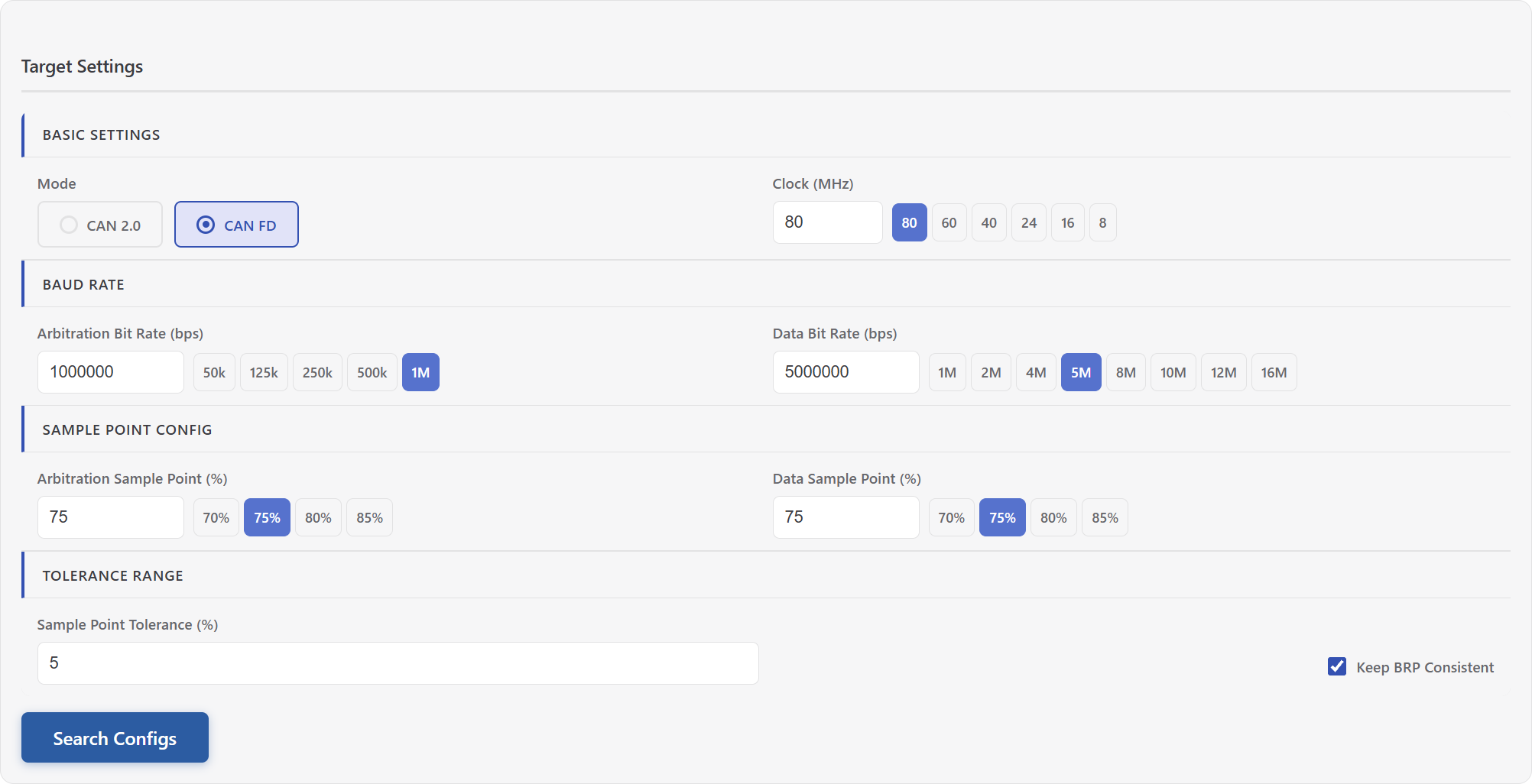
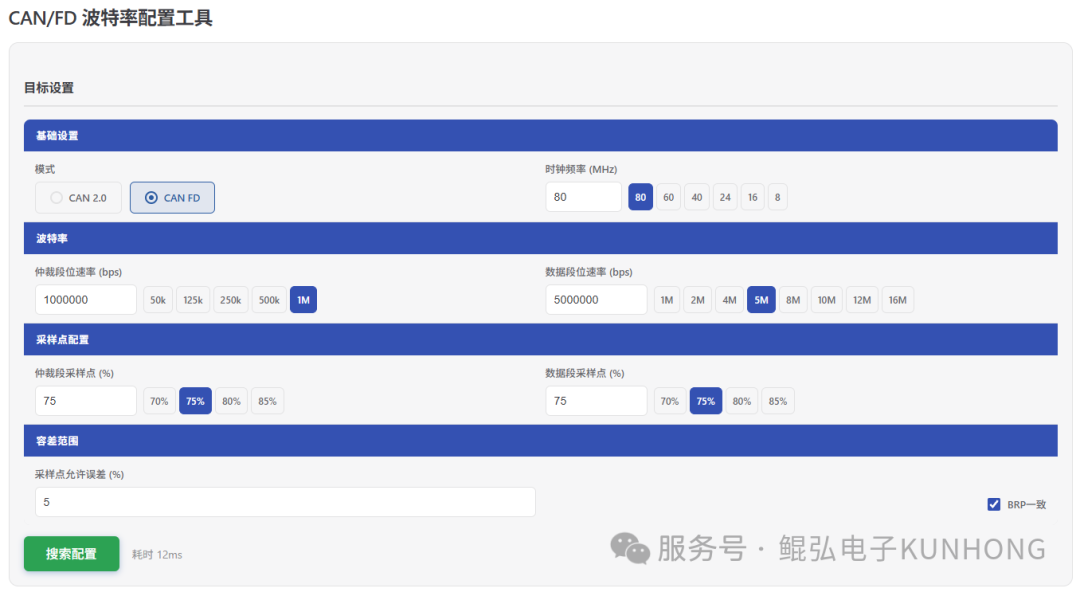
Select bit timing
- Select CAN 2.0 or CAN FD. Enter the controller clock, nominal bit rate and nominal sample point. For CAN FD, also enter the data bit rate and sample point.
- Set the allowed sample-point error and calculate. Results match the requested bit rate exactly. The tolerance applies to the sample point. Enable BRP consistency in CAN FD mode to filter and link results using the same prescaler in both phases.
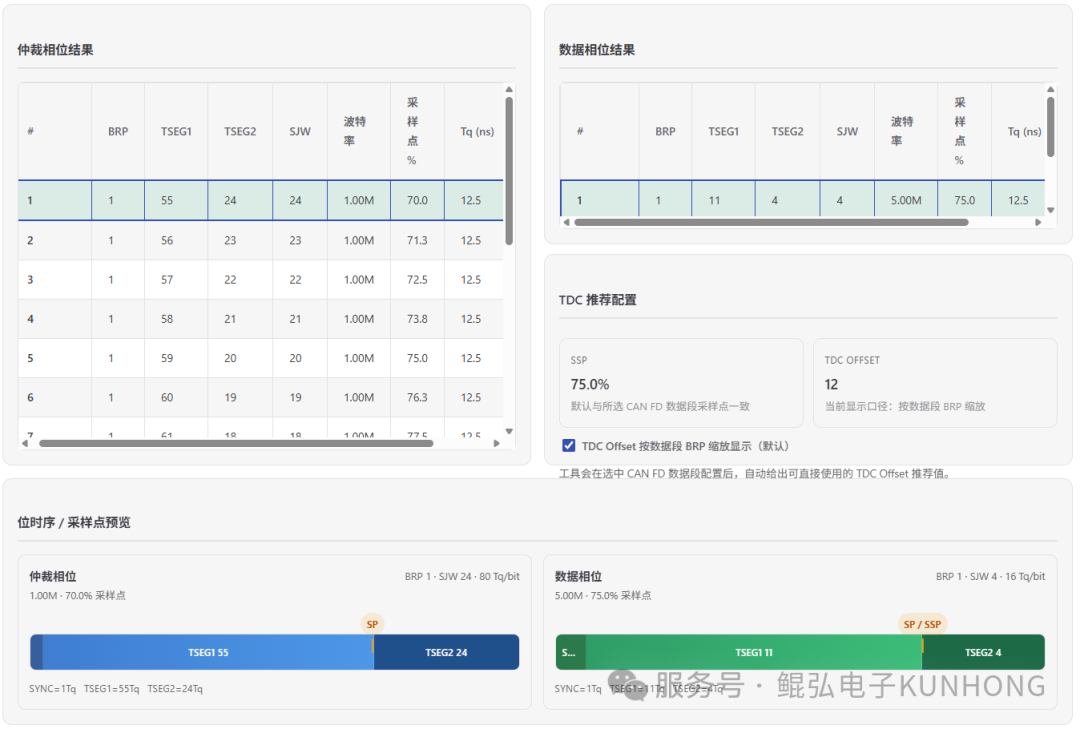
- Select the results and use the timing diagram to compare the sync segment, TSEG1 and TSEG2. Check BRP range and increment, segment limits and SJW against the controller for each phase. Changing the export target uses the same timing search constraints.
For example, enter an 80 MHz clock, 500 kbit/s at 87.5% nominal, 2 Mbit/s at 75% data and 0% sample-point tolerance. Select BRP = 2 for both phases. The nominal TSEG1/TSEG2/SJW values are 69/10/10, and the data values are 14/5/5. See the calculator page for timing formulas and export examples.
Check the sample point and prescaler
- Start with the bus protocol and equipment manuals. In a custom network, also consider propagation delay, bit rate and transceiver and controller limits.
- Where the hardware supports it, a smaller BRP gives finer timing resolution. BRP consistency matches the two CAN FD phases on one controller. Nodes with different clocks and prescalers can use compatible bit rates and sample points.
- Some registers use value-minus-one encoding. Before applying an export, check whether the SDK or driver accepts actual values or register encodings.
Choose an export format
| Format | Use |
|---|---|
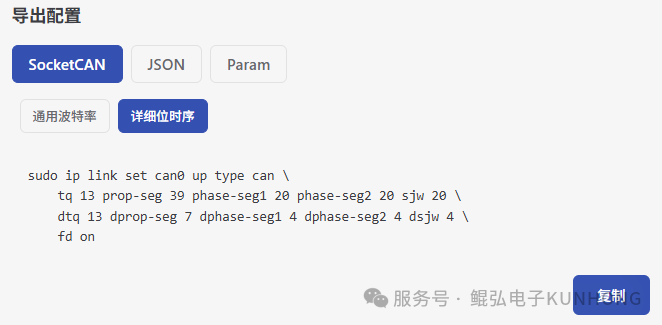
| SocketCAN | The simple format lets the Linux driver calculate timing. The detailed format passes the selected time segments. Replace can0 with your interface name. |
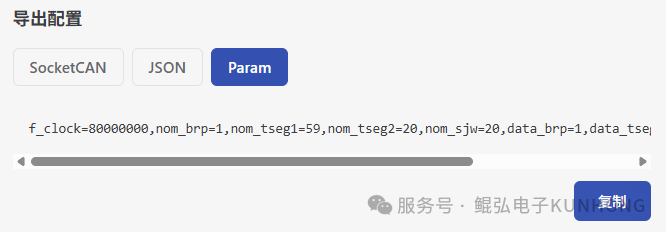
| PCAN-Param | Generate a PCAN-Basic CAN FD initialization string and check the limits of the target device. |
| JSON | Export parameters and units for use in software. |
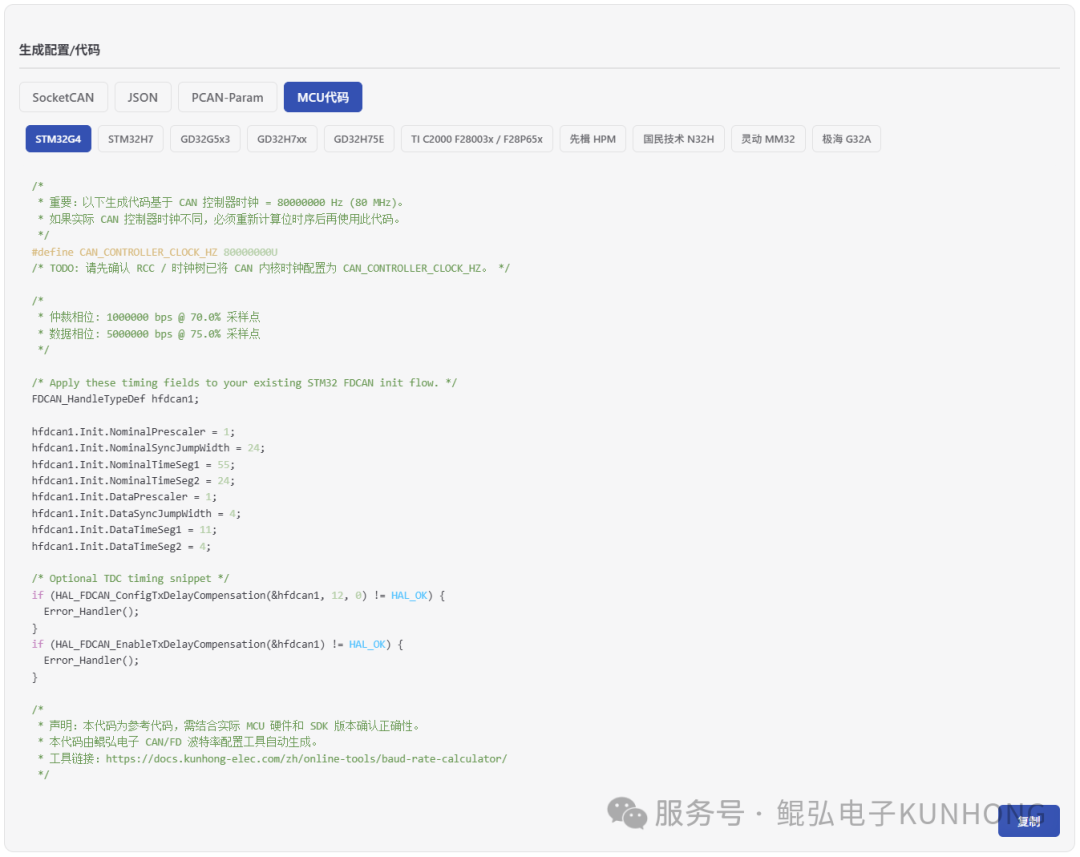
| MCU Code | Get an initialization snippet or a timing-parameter listing for the target platform. |
MCU code and parameter output
- Initialization snippets are available for STM32G4, STM32H7, GD32G5x3, GD32H7xx (GD32H757/H759), GD32H75E, TI C2000 F28003x/F28P65x and HPMicro HPM. Fit the snippet into your project's clock, pin and CAN initialization. Check SDK field names and register encoding.
- Parameter listings are available for Nations N32H, MindMotion MM32 and Geehy G32A. Map the timing and compensation parameters to the appropriate SDK or registers using the device manual.
Use the TDC reference
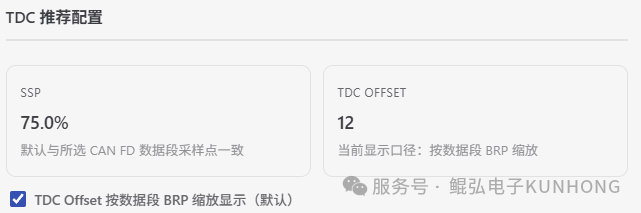
CAN FD transmitter delay compensation (TDC) accounts for the TX-to-RX loop delay in the data phase and helps set the secondary sample point (SSP) used for transmitter bit monitoring. The calculator shows the ordinary data-phase sample point as a reference percentage. It expresses the offset as TSEG1 + 1 data-phase Tq, or multiplies that value by the data-phase BRP to obtain CAN controller clock cycles.
In the example above, the offset is 15 data-phase Tq, or 30 controller clock cycles. The tool calculates the reference offset from bit timing. With TDC enabled, the actual SSP also depends on how the target controller uses the measured loop delay. Check the controller's units, encoding, range and TDC mode before applying the value. Bosch M_CAN manual
Screenshots from the original publication
The figures below are from the two original articles. For the current workflow, export options and TDC units, follow the steps above and use the calculator.
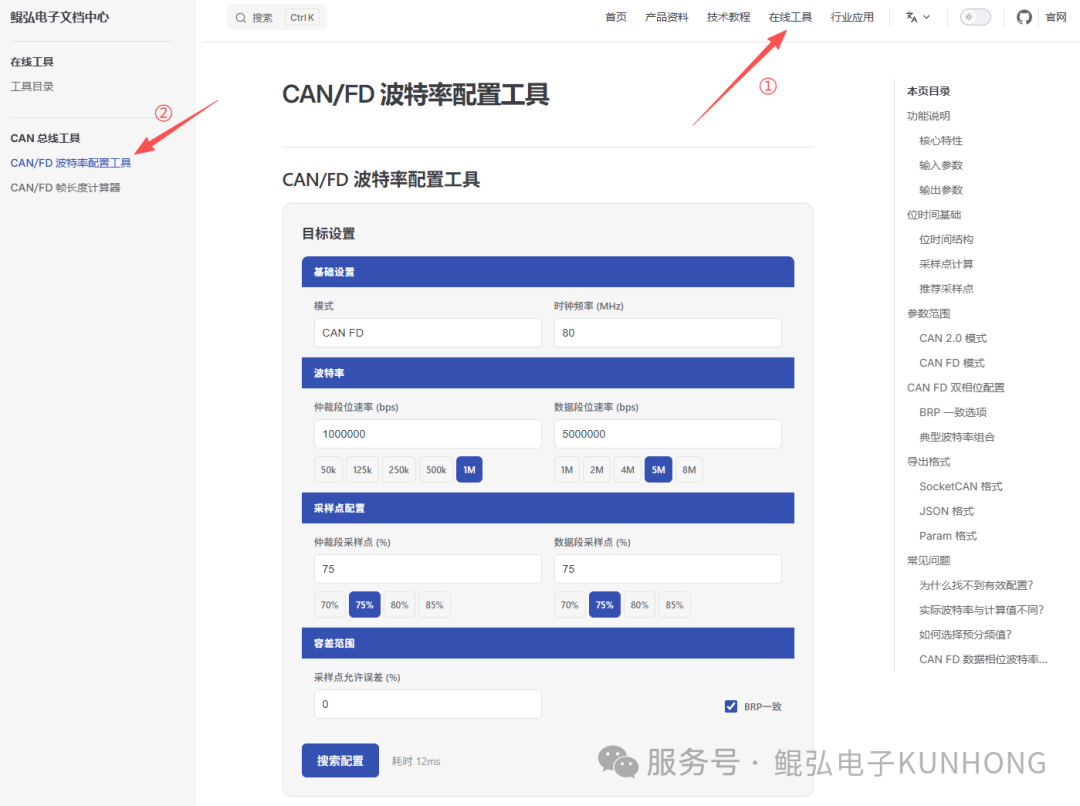
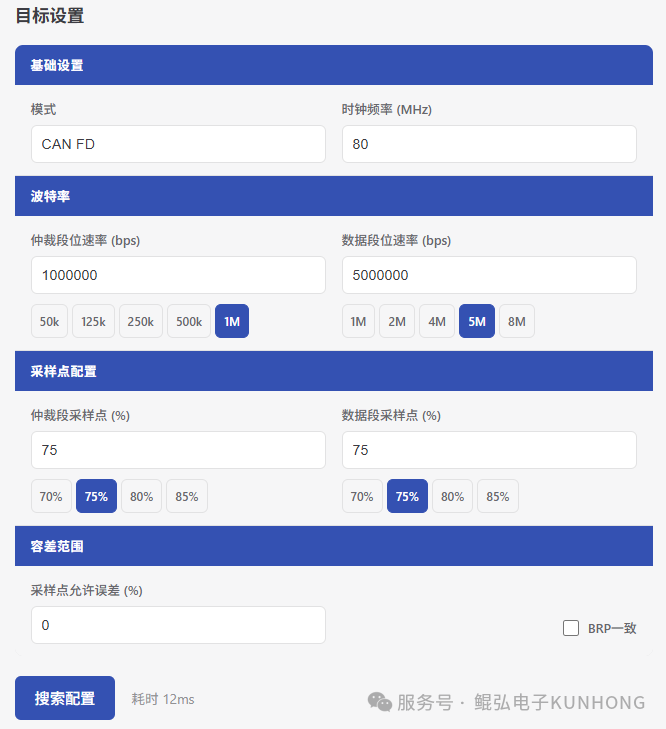
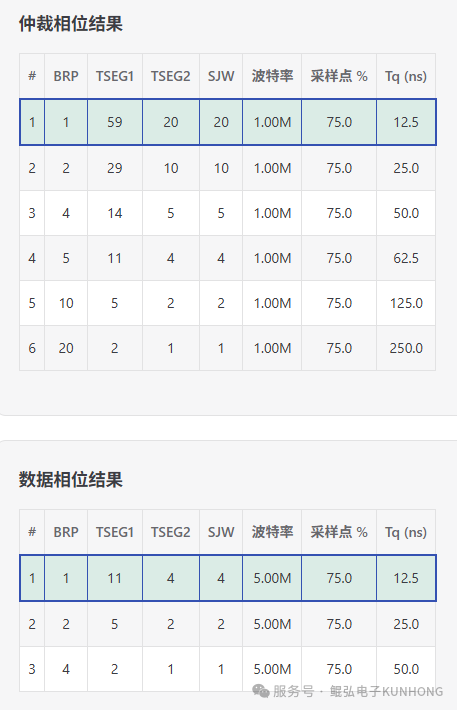
Originally published as Online CAN/FD Bit-Rate Calculator (hoyo, 2026-03-03) and MCU CAN FD Bit-Rate Code Generation (Kunhong R&D, 2026-04-03).