SocketCAN Basic Debugging Methods
KH-UCANFD_Linux_SDK
It is recommended to use the KH-UCANFD_Linux_SDK driver package, specifically designed for Kunhong CAN FD series hardware products. It provides Linux drivers and tools with deep optimization based on SocketCAN standards, fully releasing device throughput capabilities and reducing CPU overhead.
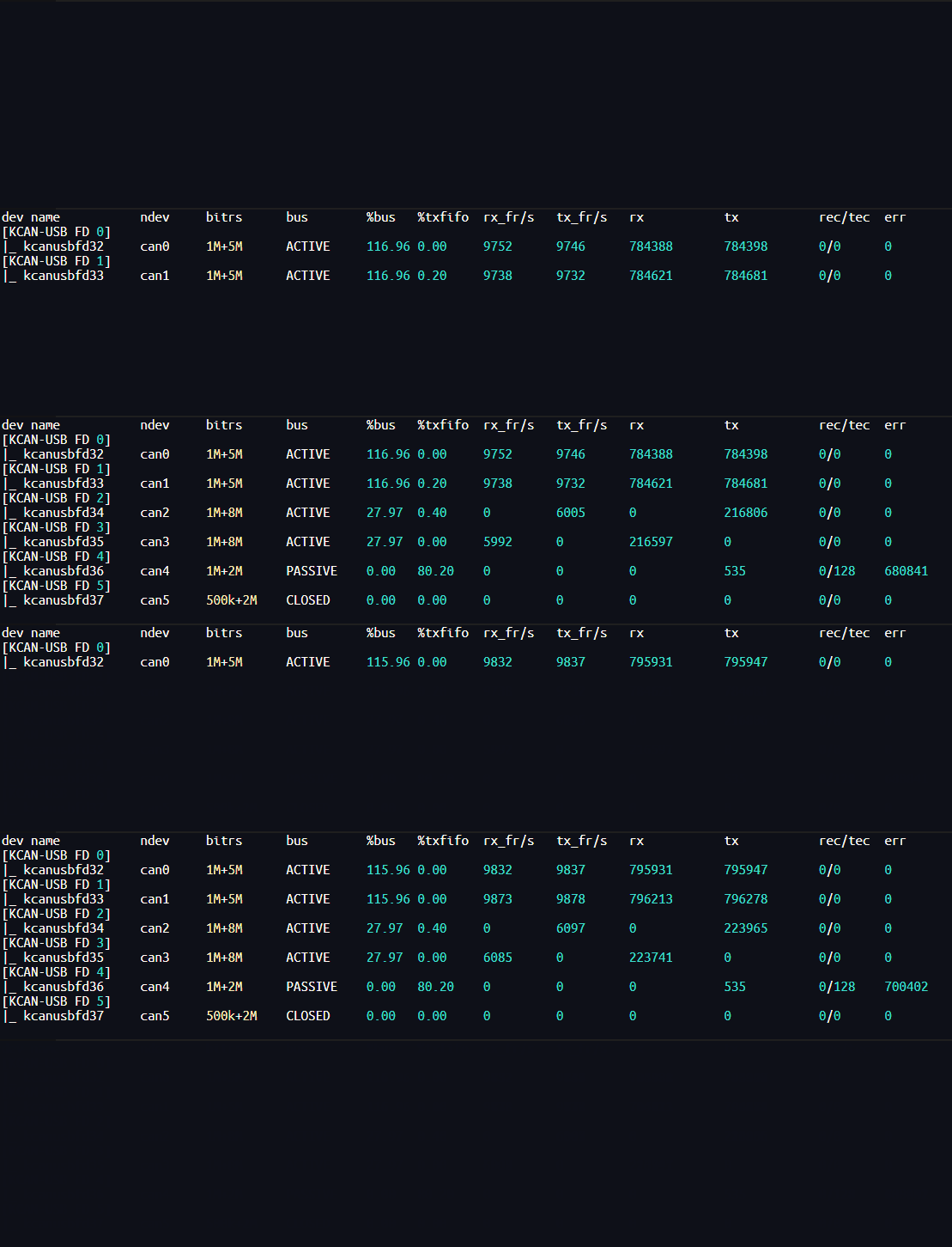
The SDK driver package provides a series of tools and libraries, facilitating quick user onboarding and development, such as: multi-channel stress testing scripts, kcan_monitor monitor.
For detailed SDK information, please refer to KH-UCANFD_Linux_SDK
Debugging Techniques
For introductory tutorials on SocketCAN, there are already detailed introductions in the SDK documentation.
Here are some supplements regarding practical usage techniques.
CAN FD
When using SocketCAN, mastering the following simple operations can help you debug CAN FD.
1. Enable CAN FD Mode
In SocketCAN, FD mode needs to be configured before opening the channel. It cannot be configured after the channel is opened.
# Configure can0 bit rate to 1M/5M and enable FD mode
sudo ip link set can0 down
sudo ip link set can0 type can bitrate 1000000 dbitrate 5000000 fd on
sudo ip link set can0 up
2. Send CAN Frames
# Send standard CAN frame (CAN 2.0)
cansend can0 001#FFFFFFFFFFFFFFFF

# Send CAN FD frame (FD mode)
cansend can0 001##1FFFFFFFFFFFFFFFF
3. Monitor CAN Frames
When running candump with the -x parameter, frame type can be displayed. This can greatly assist us in debugging communication.
# Display frame type
candump -x can0
More Command Options:
| Option | Description |
|---|---|
-t <type> | Timestamp format: a - absolute time • d - delta time • z - zero time • A - absolute time with date |
-H | Read hardware timestamp instead of system timestamp |
-c | Increase color mode levels |
-i | Binary output (may exceed 80 characters per line) |
-a | Enable additional ASCII output |
-S | Swap byte order in CAN data[] (marked with ') |
-l | Log CAN frames to file (default sets -s 2) |
-f <fname> | Log CAN frames to specified file (default sets -s 2) |
-L | Use log file format on standard output |
-n <count> | Terminate after receiving specified number of CAN frames |
-r <size> | Set socket receive buffer size |
-D | Do not exit program if CAN device goes offline |
-d | Monitor dropped CAN frames |
-e | Dump CAN error frames in readable format |
-8 | Display raw DLC value of classic CAN in {} |
-x | Print extra message information (rx/tx brs esi) |
-T <msecs> | Terminate if no frame received within specified milliseconds |
TEST:
- Follow the above commands to start candump
- Use cansend to send standard CAN and CAN FD frames
- cundump displays as follows:
Through testing, you can derive the difference between CAN 2.0 and CAN FD frames displayed in candump +x:
- CAN FD frames show data type as "B" for FD with BRS type, while CAN 2.0 frames do not
- CAN FD frame's DLC (data length) displays as "[04]" because two-digit length is reserved, which is different from CAN 2.0 frame display.
kcan_monitor
kcan_monitor is a monitoring tool provided by KH-UCANFD_Linux_SDK, capable of viewing key status of all CAN channels with one click, eliminating the cumbersome process of querying status of each channel individually, greatly optimizing user experience during debugging process.