02. Test Tool Failure
Symptom
kcanfd_test reports Failed, or the transmitted and received packet counts do not match.
Causes and Fixes
A. The Physical Loop Is Incomplete
The test uses paired transmit and receive channels. Connect channels in pairs, for example CAN0 to CAN1 and CAN2 to CAN3. Use 120 Ω termination at both ends for long cables or high data rates.
B. Parameters Do Not Match the Hardware
Check the channel count, selected port pairs, bus mode, bit rates and payload size. Use values supported by the connected device and network.
Examples
bash
# Two channels with default CAN FD parameters
sudo kcanfd_test

# Four channels with automatic pairing
sudo kcanfd_test -c 4

# A manually selected pair at 1 Mbit/s / 5 Mbit/s
sudo kcanfd_test -m fd -p can0:can2 -b 1000000 -d 5000000
Parameters
| Parameter | Meaning | Example |
|---|---|---|
-c | Number of channels | 2, 4, 8 |
-p | Manual receiver:sender pair | can0:can2 |
-m | can or fd mode | fd |
-b | Arbitration bit rate | 1000000 |
-d | CAN FD data bit rate | 5000000 |
-t | Packet count | 1000000 |
-s | Payload length | 8, 64 |
Logs
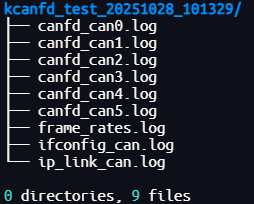
The tool creates a timestamped directory such as kcanfd_test_20251105_143022:
bash
ls -la kcanfd_test_*
cd kcanfd_test_20251105_143022