KH-CanOpenTool
KH-CanOpenTool is a Windows CANopen debugging application for node management, NMT control, SDO access, PDO testing and frame inspection through a supported CAN adapter.
Supported Devices
The current release supports PCAN FD and compatible devices. Additional device types are planned.
Download
Download KH-CanOpenTool releases
Features
- Import EDS files
- Import and export projects containing nodes, EDS associations and communication settings
- Select CAN device, channel and bit rate
- Send raw CAN frames
- Send NMT commands
- Read and write the object dictionary through SDO
- Configure and test RPDO / TPDO
- Build graphical monitoring pages
- Bind Python functions to UI buttons
- Inspect transmitted and received frames with COB-ID, data, type, node and decoded information
Requirements
- Windows
- A supported PCAN device or compatible adapter and its driver
Quick Start
- Download and extract the release package.
- Install the CAN-adapter driver and connect the device.
- Start
KH_CAnOpenTool.exe. - Import an existing project, or click
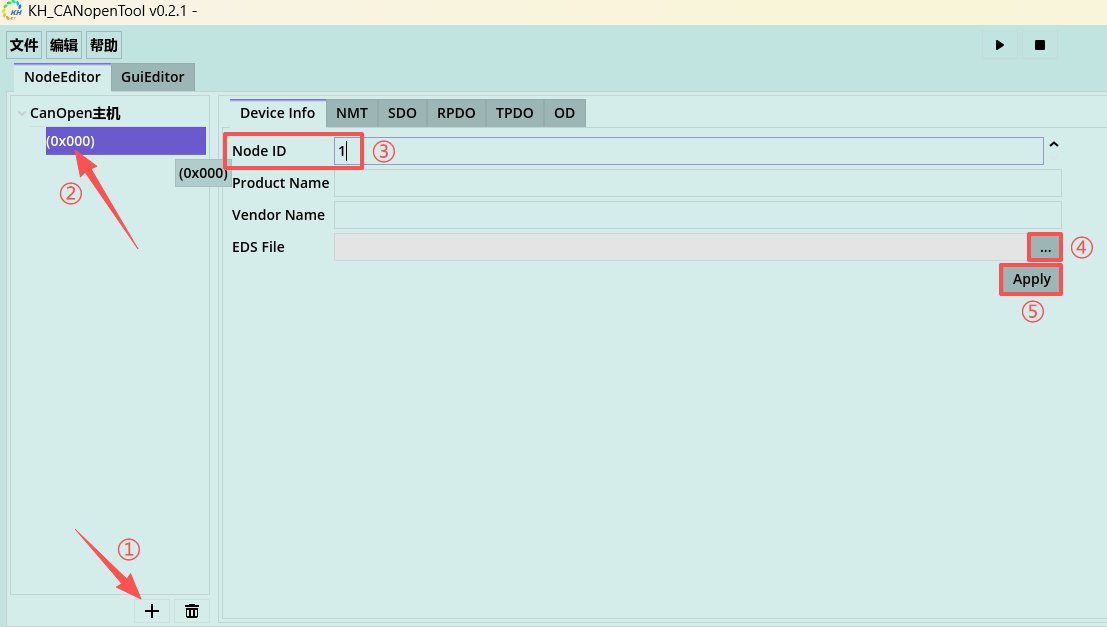
+to add a node and select its EDS file. - Select CANopen Host, choose the detected channel and set the bus bit rate.
- Click
▶to start communication. - Select a node and use the NMT, SDO, RPDO, TPDO and OD pages.
- Inspect communication on the Logs or Frames page.
- Export the project when the configuration is complete.
Project Import and Export
Use File → Import Project to restore a saved node list, EDS assignments, CAN channel and bit-rate settings. Always verify that imported hardware settings match the current PC.
Use File → Export Project after changing nodes, EDS files or communication settings so the configuration can be reused later.
Node Management
Click + in the NodeEditor list, enter the Node ID and optionally select an EDS file. Select a node and use the delete control to remove it.
Starting CAN Communication
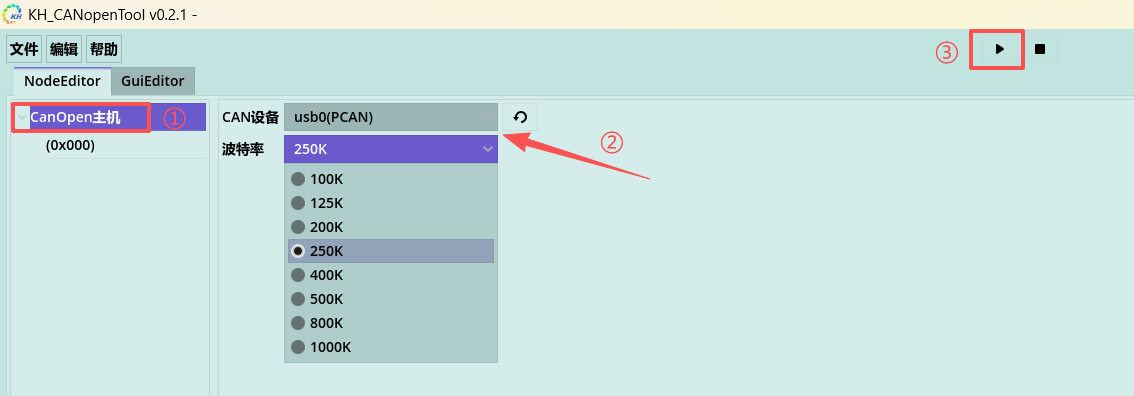
Select CANopen Host, then choose:
- CAN Device: the detected adapter channel
- Bit Rate: the value used by the CANopen network, for example
250K
Click ▶ to open the channel. If the device list is stale, use the refresh control beside the device selector.
NMT Control
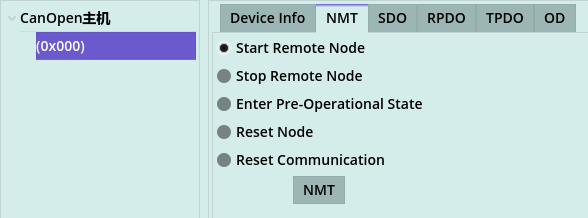
Open the target node's NMT tab and select one of the following commands:
- Start Remote Node
- Stop Remote Node
- Enter Pre-Operational State
- Reset Node
- Reset Communication
SDO Read and Write
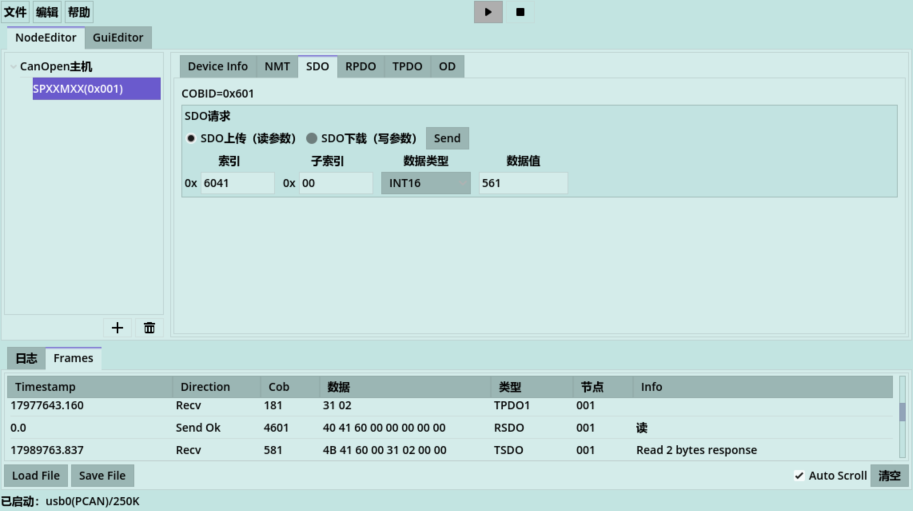
On the SDO tab, enter the object-dictionary index, sub-index, data type and value. Select SDO Upload to read or SDO Download to write, then click Send. Inspect the response on the Frames page.
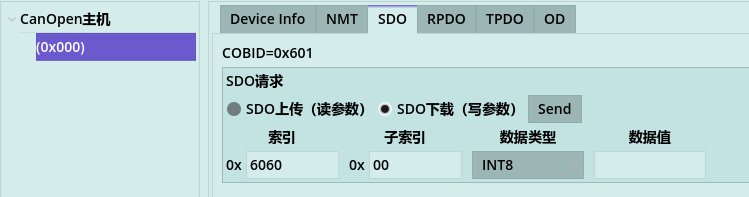
Verify the index, sub-index, type and permitted value range in the target device's object dictionary before writing.
Frame Viewer
The Frames page displays direction, COB-ID, data, frame type, node ID and decoded information. It supports clearing, searching, automatic scrolling, and loading or saving frame logs.

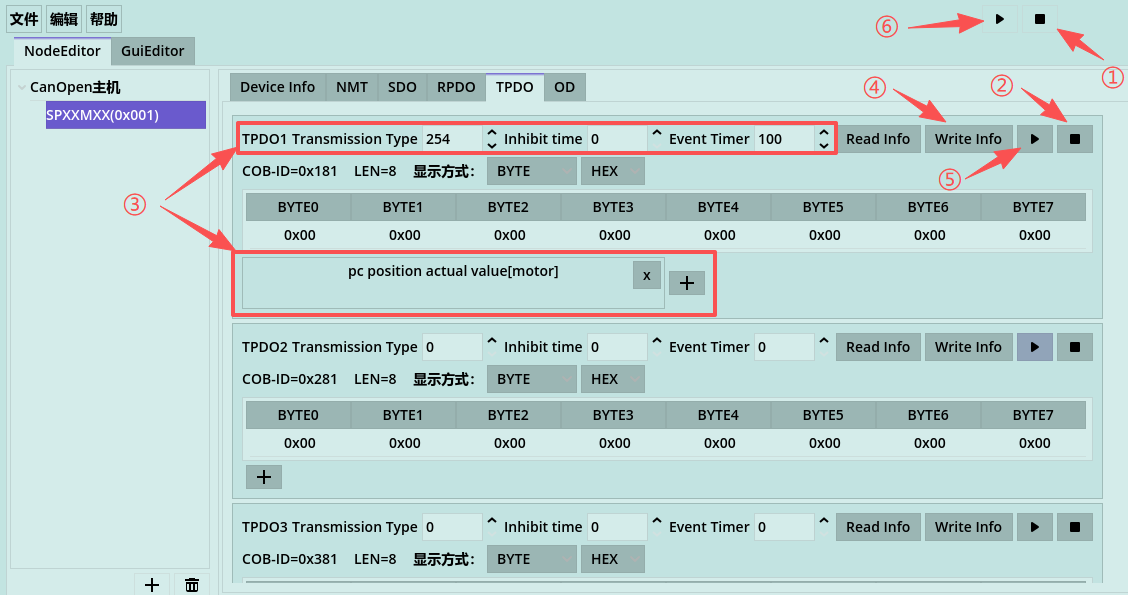
TPDO Workflow
- Put the node in Pre-Operational state.
- Stop PDO transmission.
- Configure and map the PDO.
- Write the PDO configuration.
- Start PDO transmission.
Raw CAN Transmission
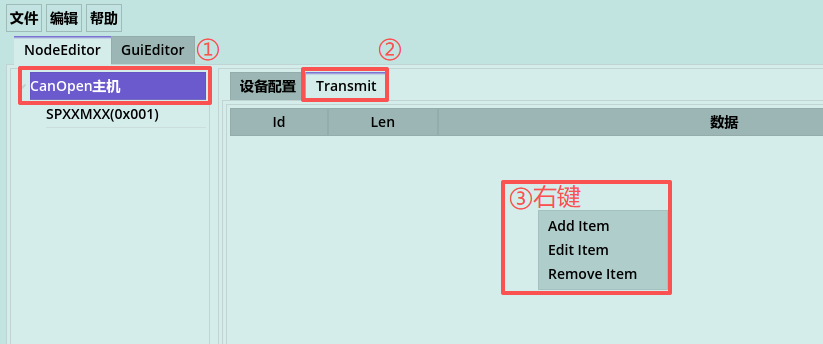
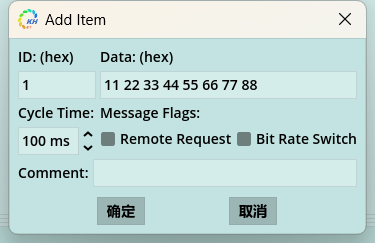
Open Transmit under CANopen Host, right-click the empty list and add a frame. Configure the ID, data, type, period and comment. The current implementation supports periodic transmission; choose a safe period for the target network.
Graphical Monitoring
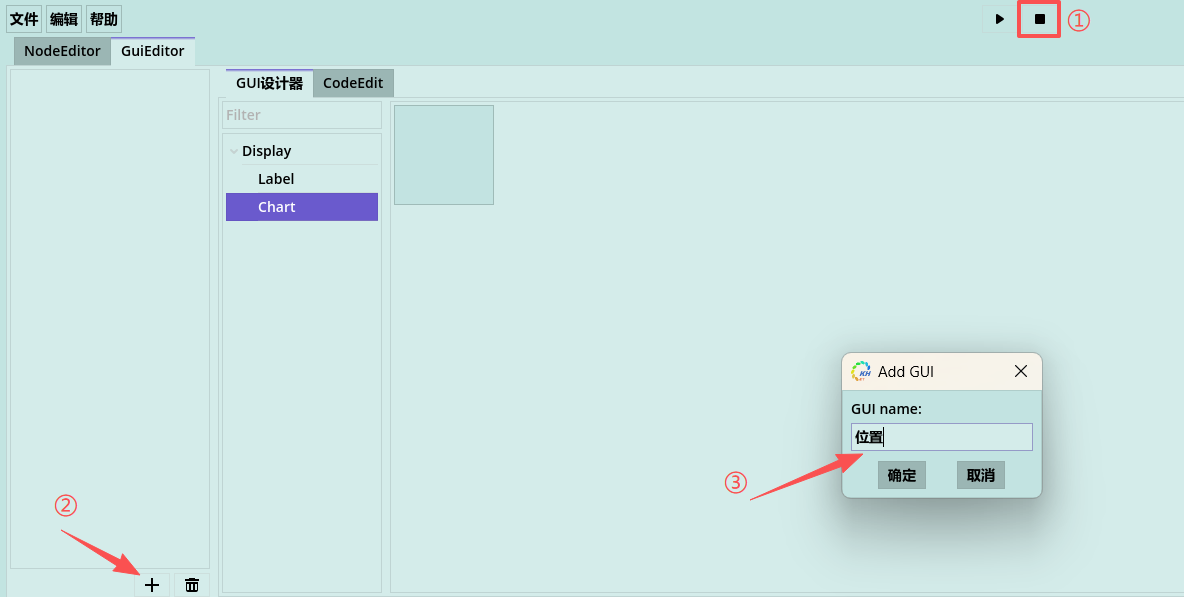
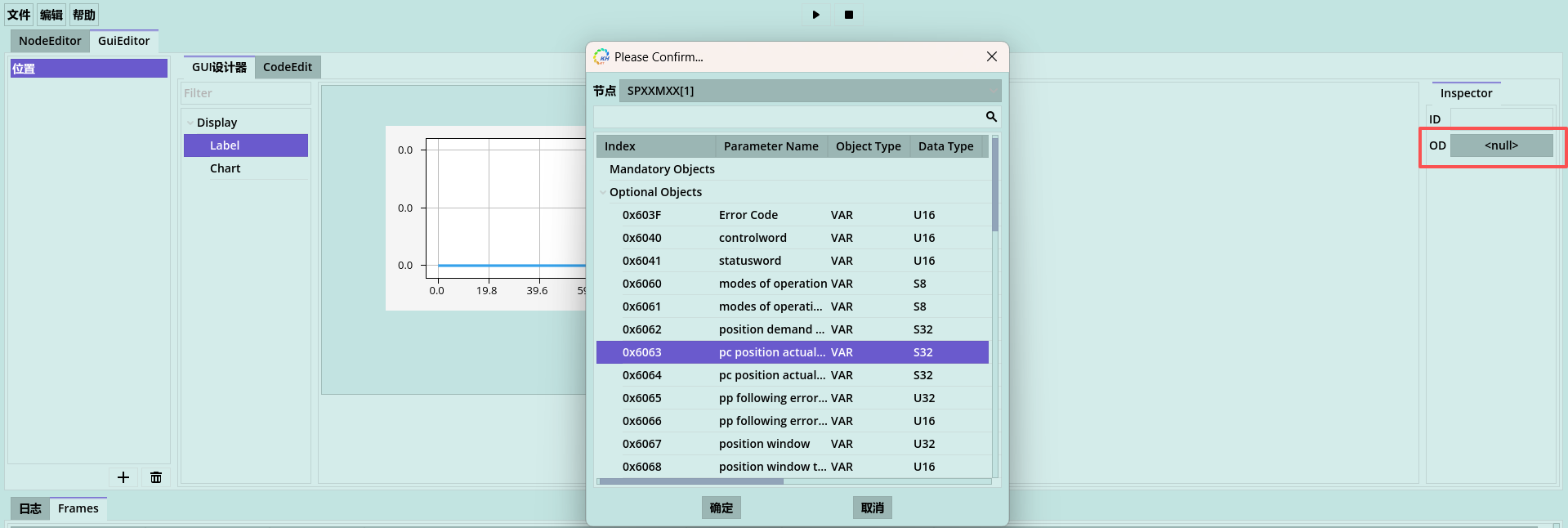
Create a view, drag UI plug-ins into the editor and bind each plug-in to an object-dictionary entry through its OD setting. Configure TPDO for real-time data before starting the view.
Python Scripts
The GUI editor can bind Python functions to button controls. Open GuiEditor/CodeEdit and define functions such as:
def start():
    send_nmt_command(1, 128)
    stop_pdo(1, 0)
    clear_pdo(1, 0)
    set_pdo_info(1, 0, 254, 0, 100)
    append_pdo_od(1, 0, 0x6064, -1)
    write_pdo_info(1, 0)
    start_pdo(1, 0)
    send_nmt_command(1, 1)


def stop():
    stop_pdo(1, 0)
Add two buttons and bind their Method properties to start and stop. The current API reference is available from Help → API.
Troubleshooting
- Confirm that the CAN driver is installed and the adapter is not in use by another application.
- Match the configured bit rate to the CANopen network.
- If the channel cannot be opened, check the adapter, driver, DLL files and device list.
- Verify EDS definitions before SDO writes or PDO mappings.